Free Receipt Template
A blank receipt for any payment — a sale, an invoice paid in full, a deposit. Free in PDF, Word or Excel, in 3 styles, with payment method, invoice and signature lines.
File format
RECEIPT
#RCT-2026-014
Date
Sep 23, 2026
Payment method
Bank transfer
Received by
Northstar Design
Austin, TX
Received from
Bright & Co
Chicago, IL
Sample preview — not your real data
Modern
Receipt
#RCT-2026-014
Received by
Northstar Design
Austin, TX
Received from
Bright & Co
Chicago, IL
Sample preview — not your real data
Classic
Receipt
#RCT-2026-014
Received by
Northstar Design
Received from
Bright & Co
Sample preview — not your real data
Minimal
Each downloads a blank PDF template — no data required.
Want one prefilled with your own details instead? Use the generator, or browse all free invoice templates.
Receipt template examples
Here is the template filled in three ways, one per style. Each was made with the free receipt maker on this site, so they show the PDF layouts exactly as they look once filled in.
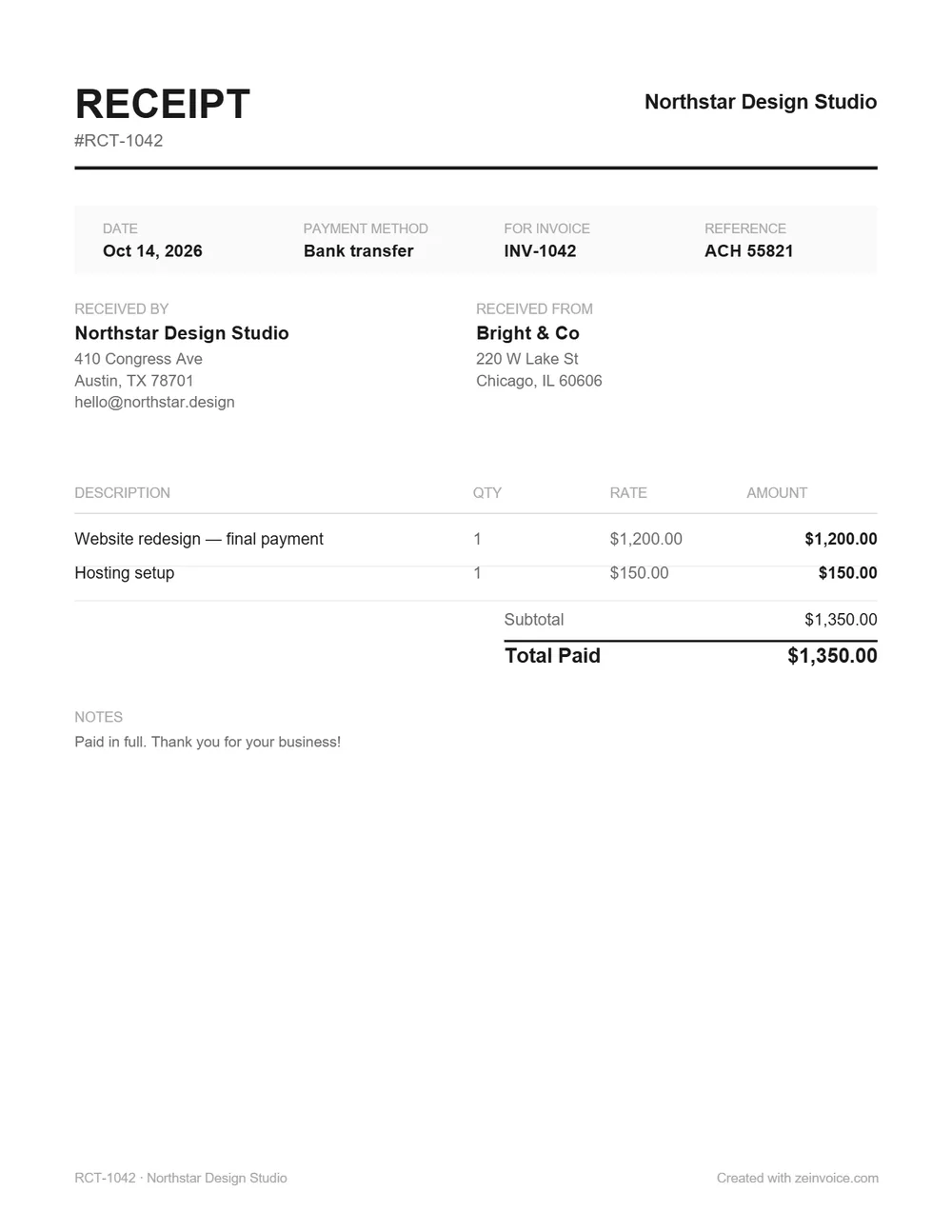
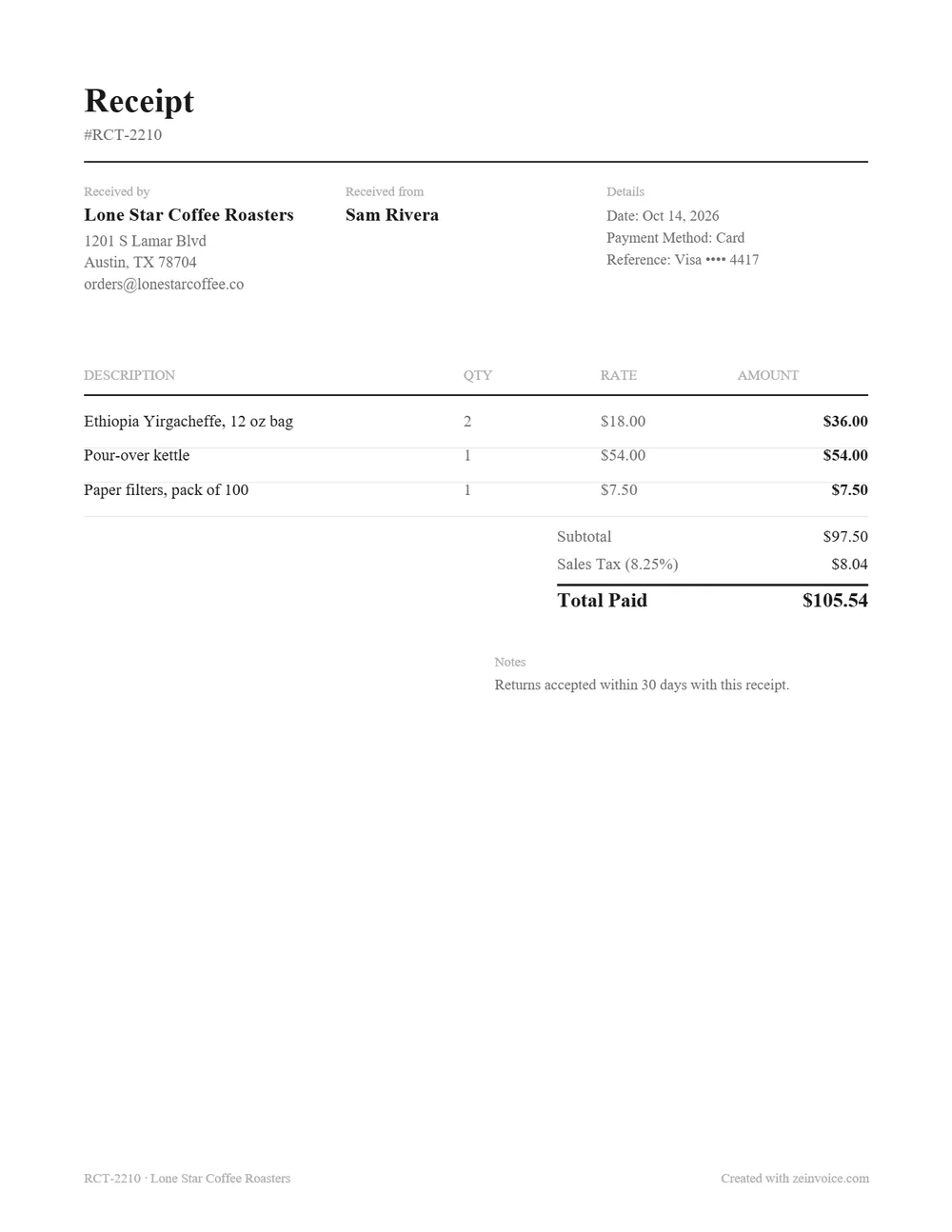
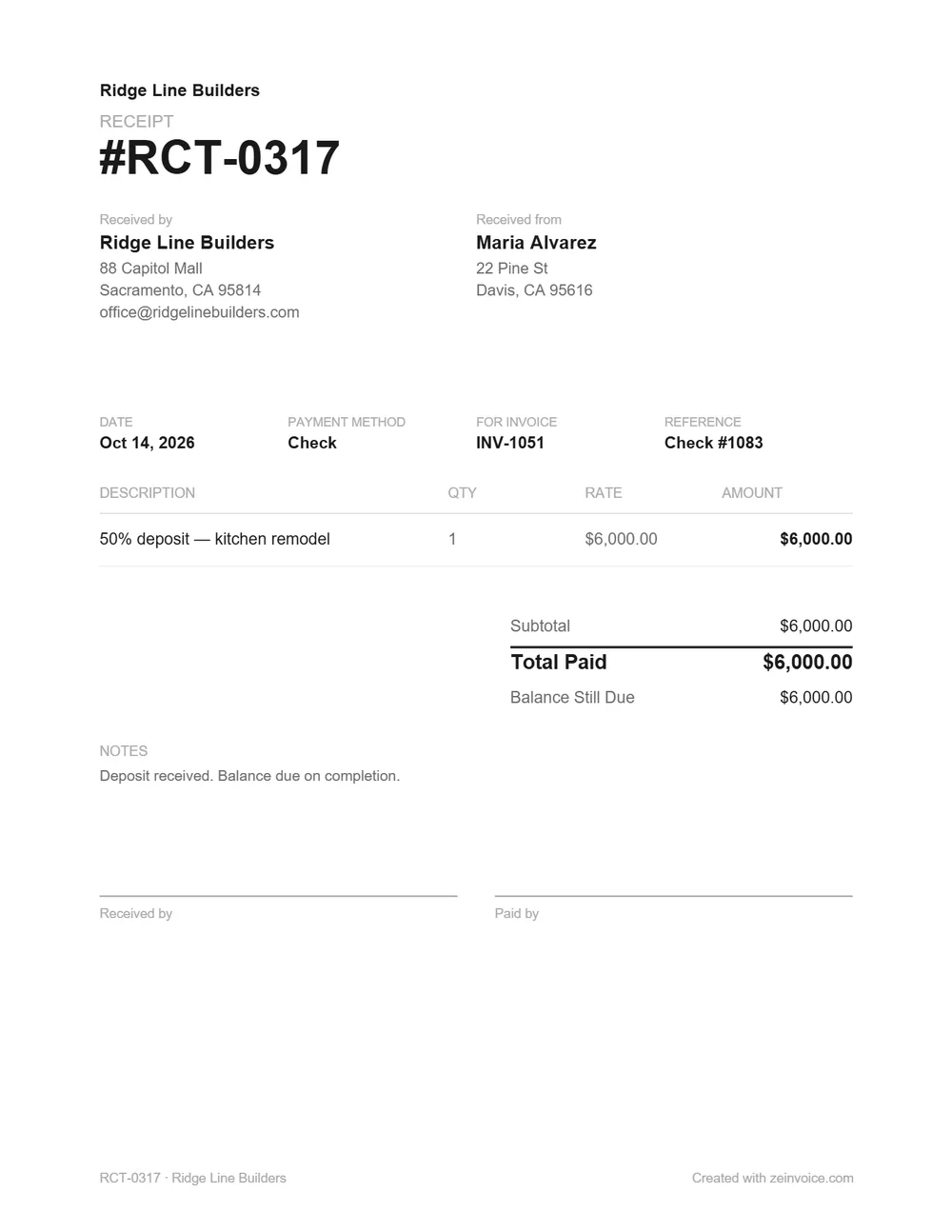
The PDF downloads at the top of the page are the same layouts left blank, and the Word and Excel files have the same fields. Placeholders in angle brackets — <Receipt no.>, <Invoice no.> — show what goes where.
What to include on a receipt
A receipt has one job: prove that a specific payment happened. These are the fields that do it, and each one has its place on the template.
| Field | What to write |
|---|---|
| Receipt number | A unique, sequential number — RCT-1001, RCT-1002 — kept separate from your invoice numbers. |
| Date | The day the payment was received. If you write the receipt later, still use the payment date. |
| Received by / Received from | Your business name and contact details, then the name of whoever paid. |
| What was paid for | One line per item or service, with the quantity and price — or the invoice the payment settles. |
| Subtotal, tax, total paid | Sales tax or VAT on its own line if you charged it. The total is the amount actually received. |
| Payment method | Cash, card, check, bank transfer or PayPal. For a card, the last digits at most (see below). |
| For invoice and reference | The invoice number the payment settles, and the check number or transaction ID. |
| Balance still due | For a deposit or an installment, what's left to pay. Write 0 when it's paid in full. |
| Signatures | Received by and paid by — not legally required, but worth having for cash. |
If you take cards and print receipts from a card terminal or point-of-sale system, US federal law limits what the customer's copy can show: no more than the last 5 digits of the card number, and no expiration date (15 U.S.C. § 1681c(g)). The rule only covers electronically printed receipts, but writing just the last four digits is good practice on a handwritten one too.
Which receipt template do you need?
| Situation | Use |
|---|---|
| A sale — goods or services paid on the spot | This template, one line per item, with sales tax if you charge it |
| A client paying an invoice | This template, with the invoice number in For invoice |
| A deposit or an installment | This template, with the amount left in Balance still due |
| A payment in cash | The cash receipt template, with the amount in words and signature lines built in |
| Rent from a tenant | The rent receipt template, with landlord, tenant and rental period |
| A receipt filled in and numbered for you | The receipt maker, which fills it in on screen and exports a PDF |
Sales receipt vs payment receipt
A sales receipt is issued at the moment of a sale: what was bought, at what price, the sales tax and the total paid. It's what a shop or a market stall hands over — or a plumber paid on the spot — and it usually isn't tied to any invoice.
A payment receipt confirms that an invoice has been paid, in full or in part. Rather than listing everything again, it references the invoice — “Payment for invoice INV-1042” — and shows any balance still owed. Freelancers and service businesses send far more of these than sales receipts. The template covers both: list the items for a sale, or the invoice number for a payment. Not sure which document you need in the first place? See invoice vs receipt.
How to fill in the receipt template
- Pick a format and a style at the top of the page and download it — no signup.
- Replace the placeholders in angle brackets with your business details, and add your logo at the top in Word or Excel.
- Give the receipt the next number in your sequence, and the date the money arrived.
- List what was paid for. In Excel, enter the quantity and price: the line amounts, subtotal and total update by themselves, and the tax rate has its own cell. In Word or on a printed PDF, add them up by hand.
- Fill in the payment method, the invoice it settles and the reference, plus any balance still due — and sign it if the payment was in cash. Then save it as a PDF and send it, or print two copies and keep one.
No Microsoft Office? Upload the .docx to Google Drive and open it with Google Docs, or the .xlsx with Google Sheets — the layout and the formulas carry over. The PDF is a printable US Letter page; choose “Fit to page” to print it on A4.
Word, Excel, PDF or online maker?
| Format | What it's good for |
|---|---|
| Word (.docx) | Typing on screen and adding your logo. You add up the totals yourself. Opens in Word, Google Docs or Pages. |
| Excel (.xlsx) | Totals that add up by themselves as you type. Opens in Excel, Google Sheets or Numbers. |
| Printing and filling in by hand, or keeping a receipt book. Opens in any PDF reader. | |
| Receipt maker | A finished PDF in a minute: it does the math and numbers each receipt for you. Works in any browser. |
If you write receipts often, the online receipt maker is quicker: it remembers your details in your browser, numbers each receipt, does the math and exports a PDF — free, with no signup. It can also print the receipt in Spanish, French, German, Portuguese, Italian or Dutch.
Keeping receipts for taxes
In the US, the receipts you issue back up your income: IRS Publication 583 lists receipt books and credit card charge slips among the documents that show a business's gross receipts. Keep them as long as they may be needed for your tax return — generally 3 years. In the UK, self-employed records must be kept for at least 5 years after the 31 January submission deadline of the tax year (GOV.UK — how long to keep your records). A copy of every receipt you hand out — the PDF, or the duplicate in a receipt book — is enough. Taking cash? The cash receipt template page covers the IRS rule for cash payments over $10,000.
Frequently asked questions
Yes. Every format and style downloads free, with no signup, no watermark and no limit on how many receipts you make — including for business use.
Asking to be paid rather than confirming a payment? Use the free invoice templates or the invoice generator instead.